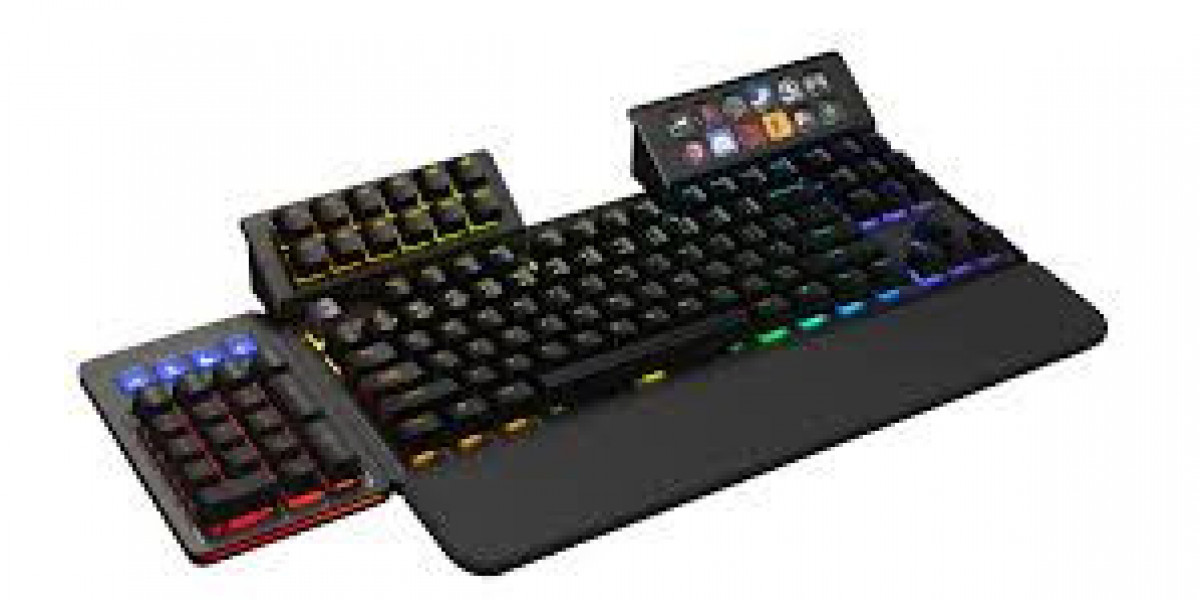

In a world where efficiency often defines performance, macropads have quietly become one of the most powerful tools for creators, developers, and professionals. At first glance, a macropad looks like a miniature keyboard macropad —but beneath its compact design lies a highly customizable control system that can dramatically change how you interact with your computer.
What Is a Macropad?
A macropad is a small input device, usually consisting of 4 to 20 programmable keys. Unlike a standard keyboard, each key on a macropad can be assigned a specific function, shortcut, or even a sequence of actions (a macro). These actions can include opening software, executing commands, controlling media, or automating repetitive workflows.
Think of it as a personal command center—tailored entirely to your needs.
Why Macropads Matter
Most people rely on complex keyboard shortcuts or mouse navigation to get work done. While effective, these methods can slow down productivity over time. A macropad simplifies everything by putting your most-used actions into a single press.
For example:
- A video editor can map cut, trim, and export functions to different keys.
- A programmer can assign build, run, and debug commands.
- A designer can switch tools or layers instantly without searching menus.
This reduction in friction leads to faster workflows and fewer interruptions.
Customization: The Real Power
The true strength of a macropad lies in its customization. Many modern macropads support software or firmware like QMK or VIA, allowing users to define exactly what each key does.
Some advanced features include:
- Multi-layer key mapping (like switching “modes” on the same keys)
- RGB lighting for visual feedback
- Knobs or dials for volume, zoom, or timeline scrubbing
- Integration with automation tools like AutoHotkey or Stream Deck-style software
This makes macropads not just input devices, but personalized productivity hubs.
Who Uses Macropads?
Macropads are popular across different fields:
- Content creators use them for editing, streaming, and production control.
- Programmers streamline coding workflows and terminal commands.
- Gamers assign complex in-game actions or communication shortcuts.
- Office users automate repetitive spreadsheet or document tasks.
Even casual users are adopting macropads for tasks like controlling music, launching apps, or managing meetings.
Types of Macropads
There are several types of macropads available:
- Minimal Macropads (4–6 keys)
Simple and portable, ideal for basic shortcuts. - Mid-Range Macropads (8–12 keys)
Balanced for productivity and flexibility. - Advanced Macropads (15+ keys with knobs/screens)
Designed for professionals who need full control over complex workflows.
Some users even build their own macropads using DIY kits, customizing everything from switches to key layouts.
Macropads vs Keyboards
While a full keyboard can technically perform the same functions, macropads offer something more focused. They eliminate clutter and reduce the need to remember complicated key combinations. Instead of stretching your fingers across multiple keys, everything is centralized in a compact layout.
This makes macropads a perfect companion rather than a replacement for traditional keyboards.
The Future of Macropads
As remote work, digital content creation, and automation continue to grow, macropads are likely to become even more advanced. We can expect deeper software integration, smarter adaptive layouts, and possibly AI-driven key suggestions based on user behavior.
What was once a niche tool is slowly becoming a mainstream productivity accessory.
Conclusion
Macropads may be small, but their impact is significant. By turning repetitive tasks into single-key actions, they help users work faster, smarter, and with less effort. Whether you're a professional creator or someone looking to simplify daily computer use, a macropad is a compact upgrade with outsized benefits.